
Construction job software for trades, homebuilders, and GCs — one record from takeoff to payment.
One job. One clear truth.
Takeoff → estimate → budget → payment on the same job record — the number you measure is the number you bill.
14 days free · one job · full features · no credit card · measure free after · or try the takeoff desk first, no signup
What one job record changes
Measured once, not retyped
Quantities are measured once on the sheet, pushed into the estimate, and locked into the budget — never retyped between tools.
You draw every quantity
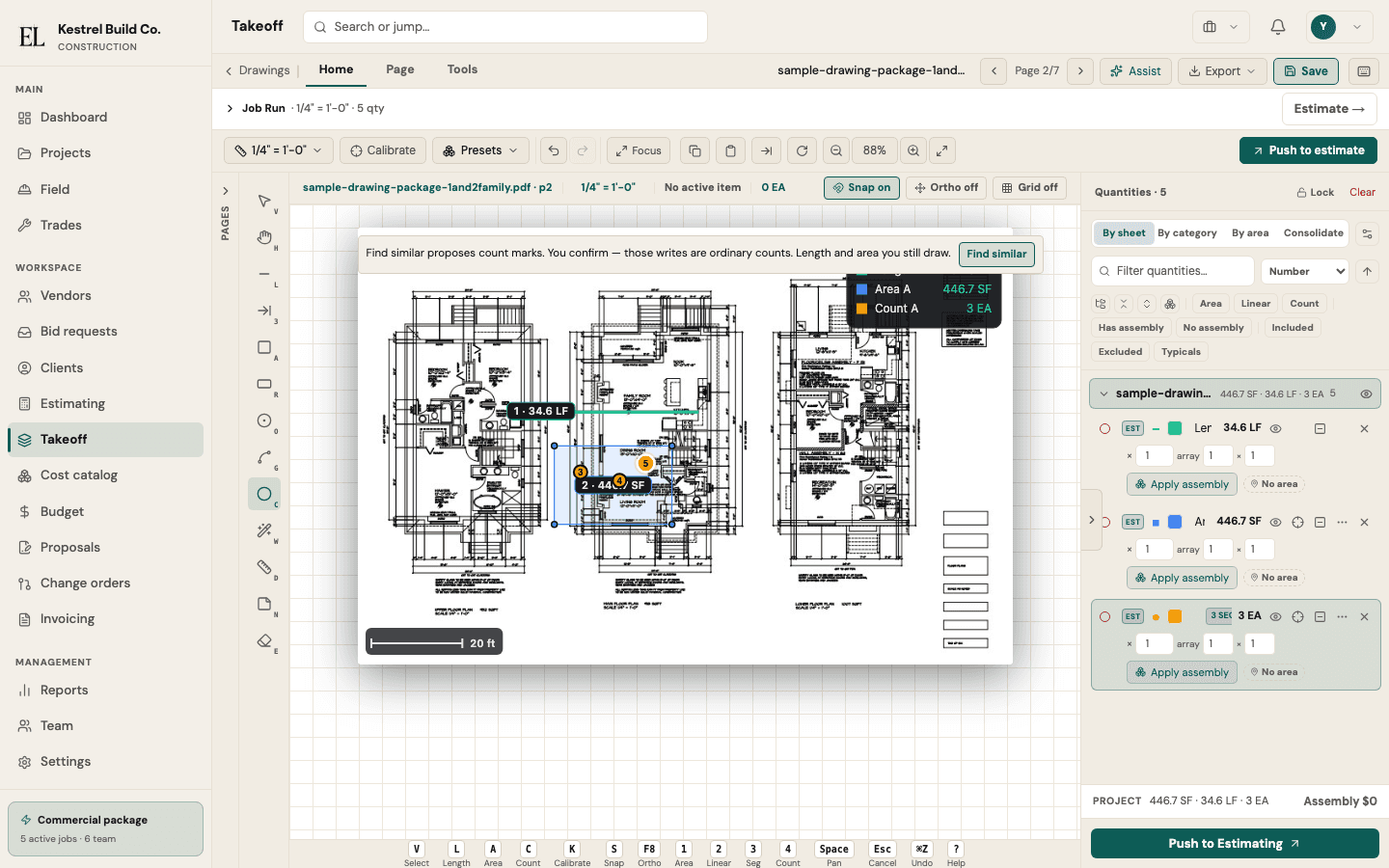
Calibrate the sheet and measure with assemblies. Tool suggestions can pick a measuring tool — you still draw every line, so the quantity you price is one you can stand behind.
One job record
Takeoff → estimate → RFQ → budget → field → pay application run on the same job record, so every stage reads the same numbers.
How it works
Six stages, one job record — from the first measurement to the final draw.
- 1TakeoffCalibrate the sheet and measure with assemblies. You draw every quantity.
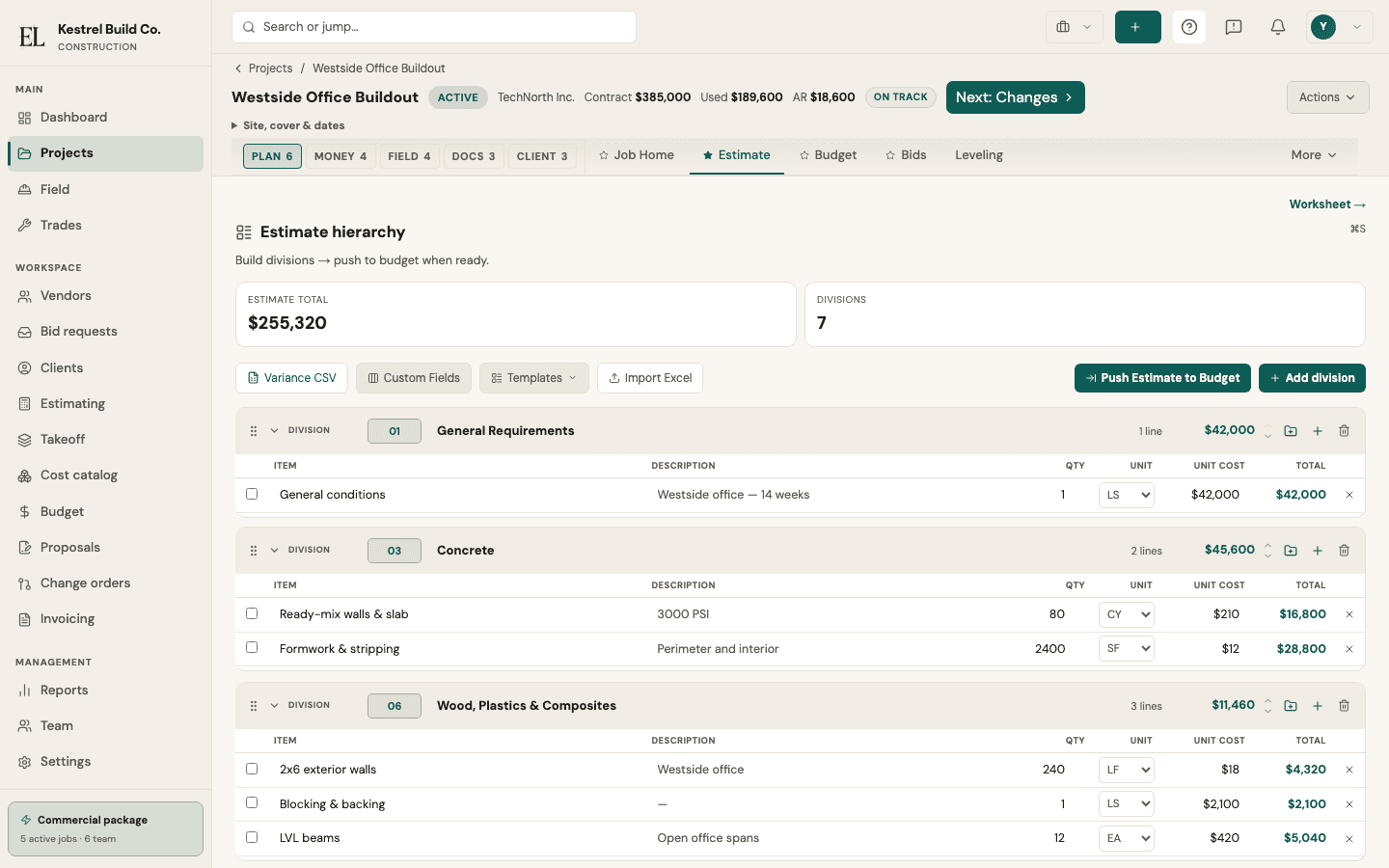
- 2EstimatePushed quantities land on hierarchical lines you price from your catalog, then lock.
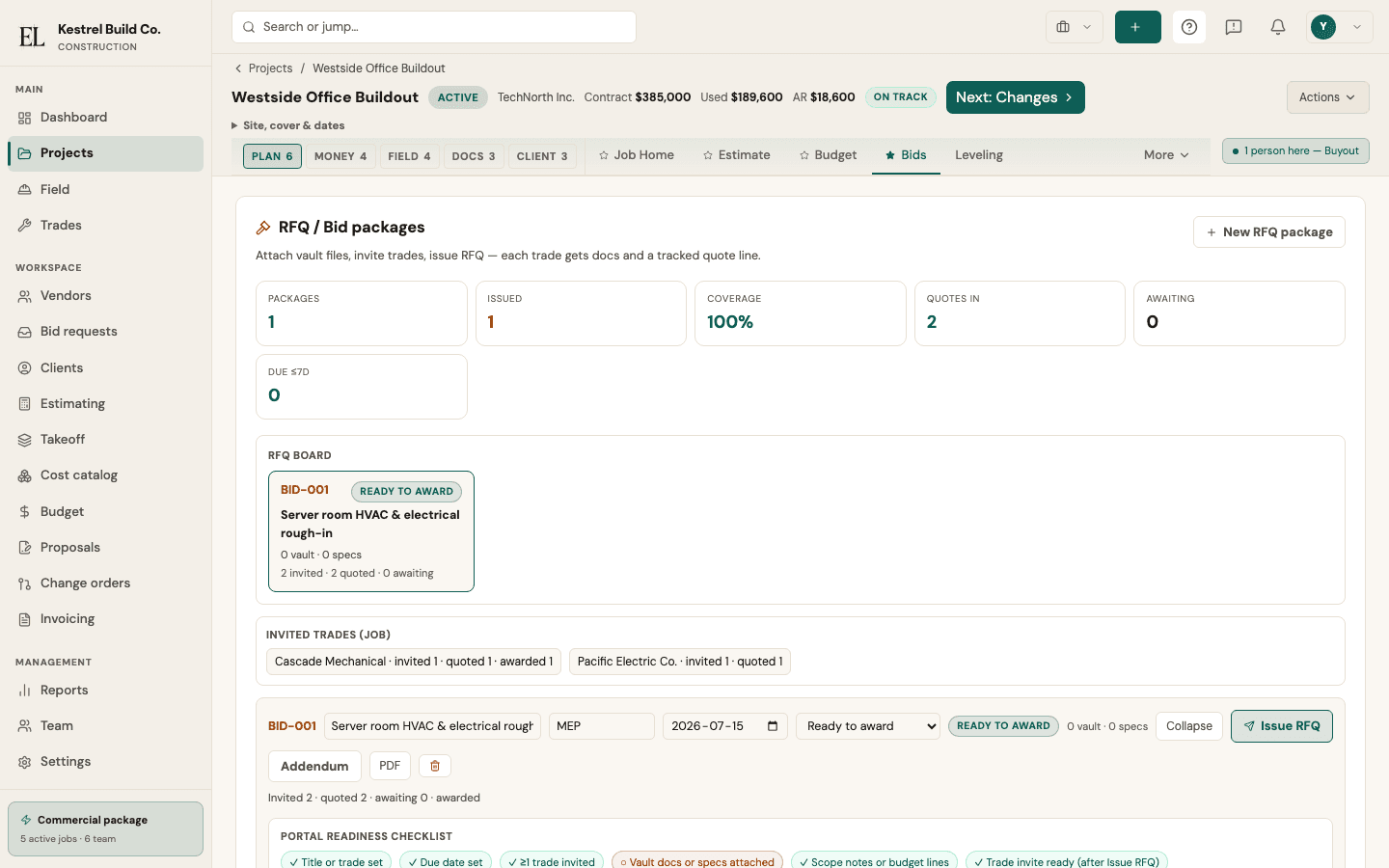
- 3RFQIssue a frozen bid package per trade, track sent vs received quotes, and award once.
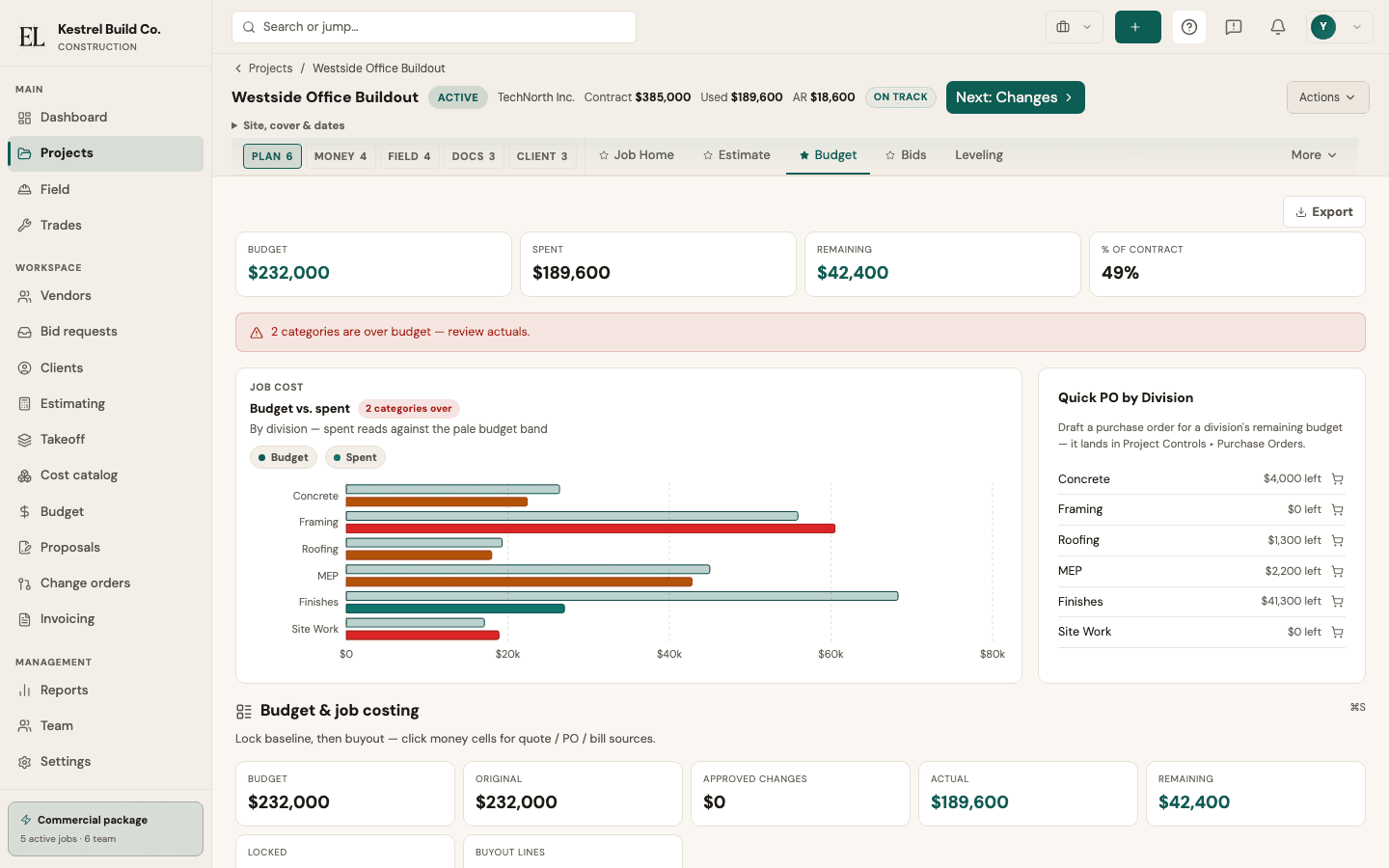
- 4BudgetThe locked estimate becomes the baseline — committed, actual, and remain in one view.
- 5FieldCrew marks plans, logs the day, and clocks time. Sync rejoins the same job.
- 6Pay applicationSeed the continuation sheet from the SOV, carry retainage forward, certify, and print.
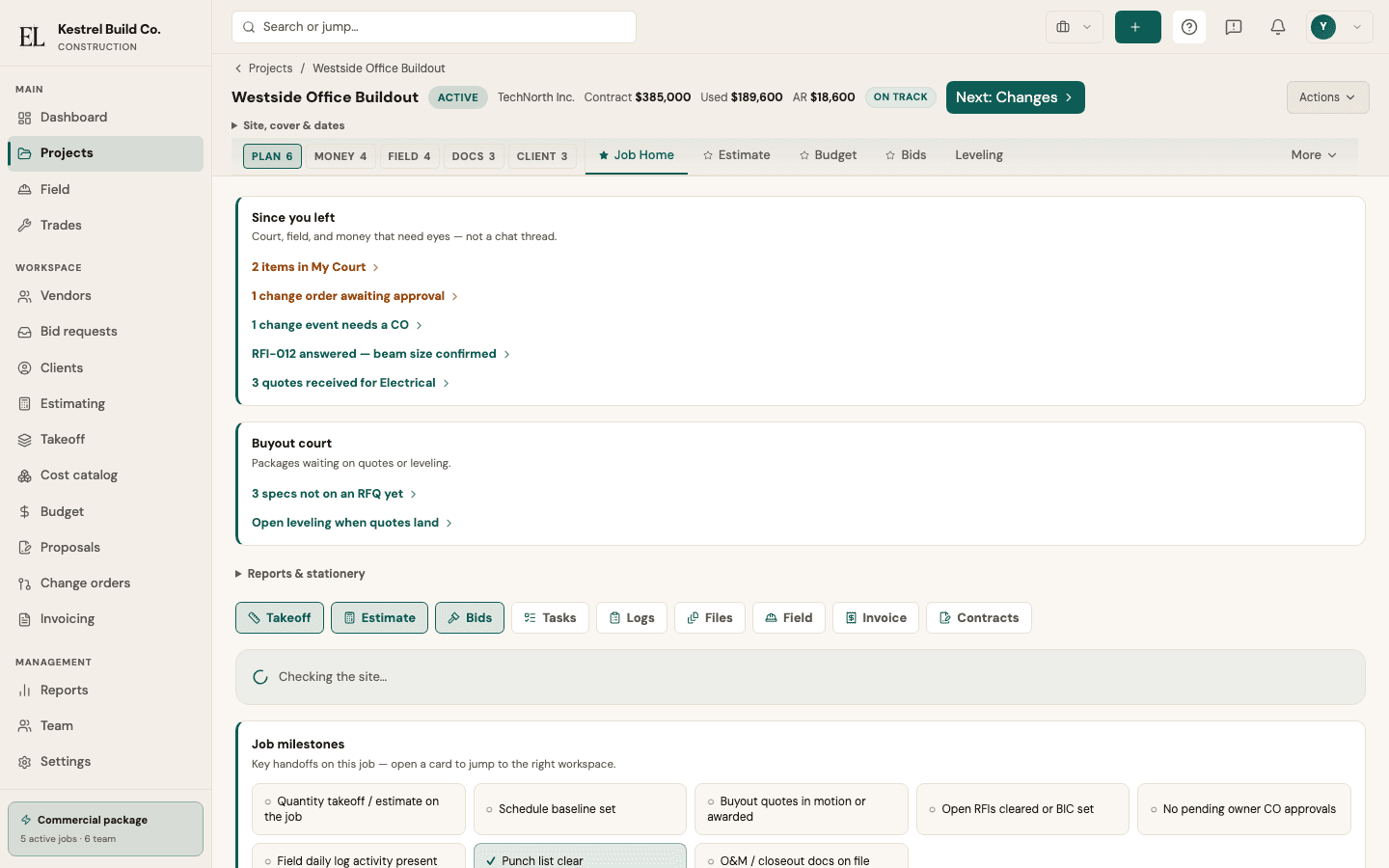
See it on a real job
Live product screens — the same system after you start.
Questions teams ask
Straight answers for estimators, PMs, and owners evaluating EstiLumina.
What is EstiLumina?
EstiLumina is a construction workspace for subcontractors, homebuilders, and mid-market general contractors. One job path connects takeoff → estimate → bids / RFQ → locked budget → field → pay applications so numbers stay on the same job record.
Who is EstiLumina for?
Trade contractors running takeoff and bids, homebuilders who need selections and homeowner portals, and commercial GCs who need RFQ, job cost, field, and progress billing in one place.
How much does EstiLumina cost?
Packages are $199 / $299 / $499 per month (Subcontractor, Homebuilder, Commercial) with 1, 2, and 4 included seats. Extra internal seats are $29/mo. Portal collaborators stay free. Start with one job free for 14 days — no credit card — then subscribe in Billing when you are ready.
What are the trial terms?
14 days free on one job with full product features. No credit card to begin. Invite your team when you subscribe. Export your job data anytime from the workspace.
Do portal collaborators use a paid seat?
No. Owners and trades responding on signed portal links do not consume a full workspace seat.
Does EstiLumina measure the drawings for me?
No. You calibrate the sheet and draw every quantity. Tool suggestions can pick a measuring tool; they never draw the takeoff. The number you price is the number you drew.
Does takeoff work on an iPad?
Yes. Open the same desk in Safari on an iPad: the Apple Pencil draws exactly as a mouse does, a finger pans and pinches, a held finger opens the shape menu, and a resting palm is ignored. Put it on the Home Screen and the last sheet opens offline. It is the same web app — not an App Store download.
Can one person belong to more than one workspace?
Yes. A consultant estimator or a shared superintendent accepts an invite from a second builder and switches between workspaces from the account menu — one sign-in, each workspace with its own role, jobs, and billing.
How do teammates ask each other about a line or a change order?
In a discussion on the record itself — the job home, an estimate line, a change order, an RFI, or an invoice. An @mention lands in the teammate’s inbox and, if they chose, by email or push; resolve the thread when it is settled. Discussions update live for everyone on the job.
Does EstiLumina include BIM or CAD modeling?
No. Drawings are a PDF sheet register with revisions — not a CAD or BIM engine. That honesty stays in our product claims.
Can I run takeoff, estimating, and job cost in one system?
Yes. Quantities push into the estimate, the locked estimate becomes the budget spine, RFQ awards become commitments, and field actuals rejoin the same money path — without retyping between tools.
How do homeowners and trades use EstiLumina?
Through signed portals: homeowners can review selections, approve changes, and pay draws; trades receive frozen RFQ packages and return quotes. Preview as the owner, then invite — you control what they see.
Is EstiLumina only for large enterprises?
No. Packages start at a single-seat Subcontractor surface. Commercial adds seats and the full job surface for multi-trade GCs — without requiring an enterprise attestation.
Where can I see live status and trust details?
Public status is at /status. Trust, privacy, terms, and subprocessors live under /trust and /legal. Support email is support@estilumina.com.
Built for your kind of work
Same job path — different starting package.
Put the next job on EstiLumina
Run one real job from takeoff through payment — then invite your team when you are ready.